Home
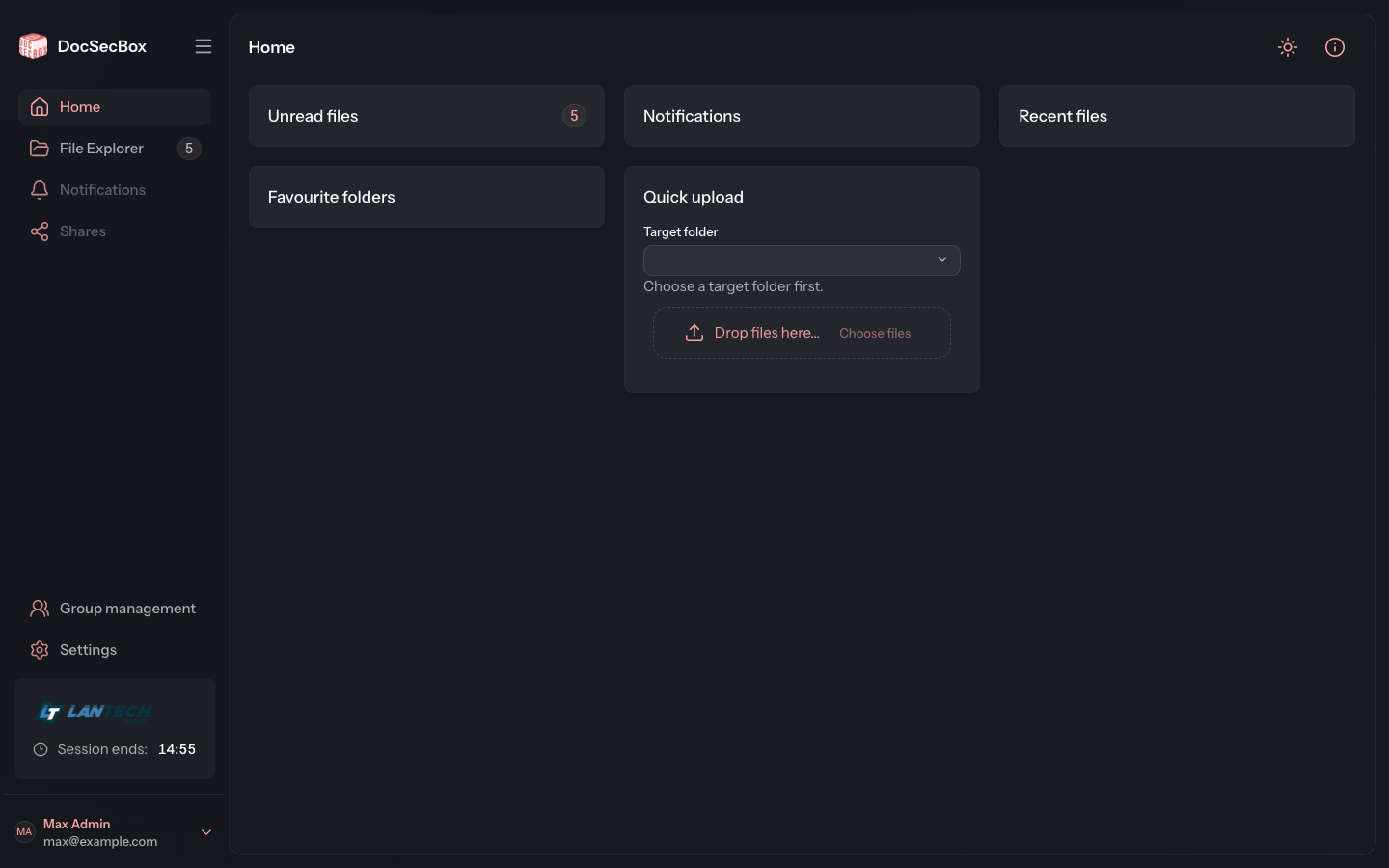
The home page is meant to show at a glance what is new for you. In this version it is still being built: its entry in the navigation bar is greyed out, and after signing in the File Explorer opens. There you find everything the home page is meant to summarise one day.
The cards
The home page consists of five cards:
| Card | Content |
|---|---|
| Unread files | The number of your unread files. The same number appears in the navigation bar next to File Explorer. |
| Notifications | No content yet. |
| Recent files | No content yet. |
| Favourite folders | No content yet. |
| Quick upload | Upload files without switching to the folder first. |
Uploading with Quick upload
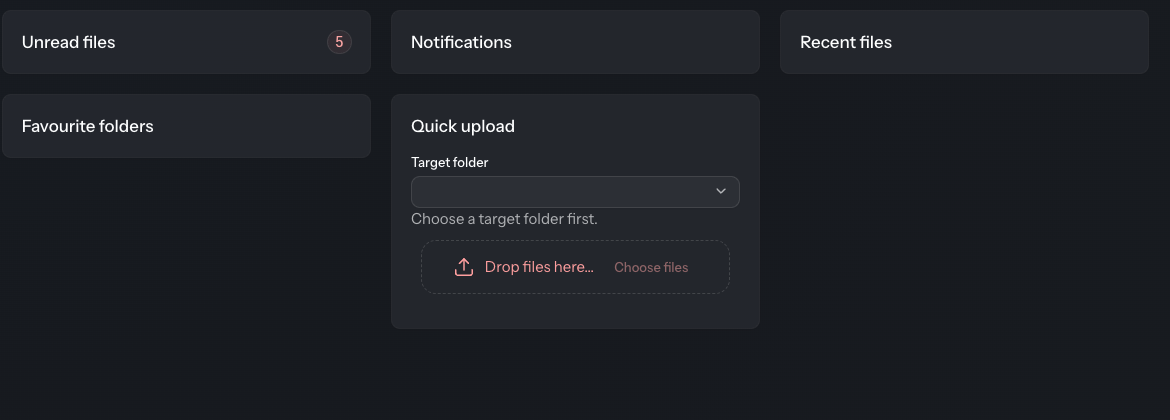
- Under Target folder, choose the folder the files should go into. As long as none is chosen, the card says “Choose a target folder first.”
- Drag the files onto the area Drop files here… or click Choose files.
- The DocSecBox uploads the files straight away. Each file gets its file name as its title.
This works like the quick upload in the File Explorer, see Upload. You can change the title, description and other details later in the file view.
If you may not upload into the chosen folder, the area stays locked and the card shows “Uploading into this folder is not permitted for this account.”