Security
Here you set the range within which users are signed out automatically, and the minimum length of a share password the DocSecBox generates.
Administrators only
Only administrators see this page. If Only super administrators are allowed to adjust program settings is switched on under Roles, only super administrators see it.
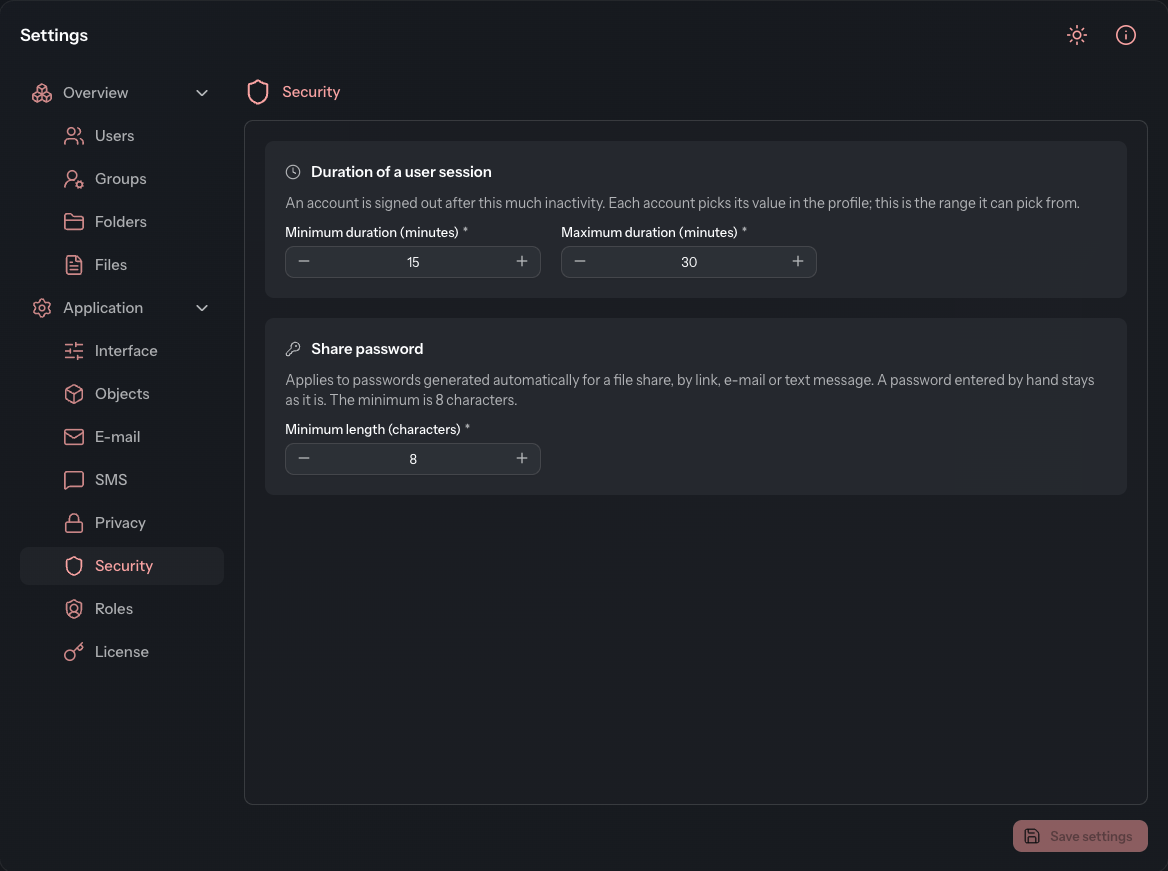
Set the duration of a user session
Anyone who is inactive for a while is signed out automatically. How long that takes is chosen by each user in the profile under Automatic Logout. Here you only set the range they may choose from.
- Open Settings › Application › Security.
- In the Duration of a user session card, enter the Minimum duration (minutes) and the Maximum duration (minutes).
- Click Save settings.
Values from 1 to 480 minutes are allowed. The minimum duration must not exceed the maximum.
Accounts are changed
If you narrow the range, the DocSecBox sets every account whose value lies outside it to the new Minimum duration when you save. This also applies to accounts with a value that is too long. The page shows this note before you save.
Set the length of the share password
When you share a file, the DocSecBox can generate the password automatically, for a link, e-mail or text message. Under Share password you set the minimum length of such a password.
- Enter the Minimum length (characters). The smallest value allowed is 8.
- Click Save settings.
Passwords that someone enters by hand when sharing are not affected.
Good to know
- The rules for the passwords of user accounts apply to the whole installation. They are set by the operator of your DocSecBox. How users change their password is described under Change Password.